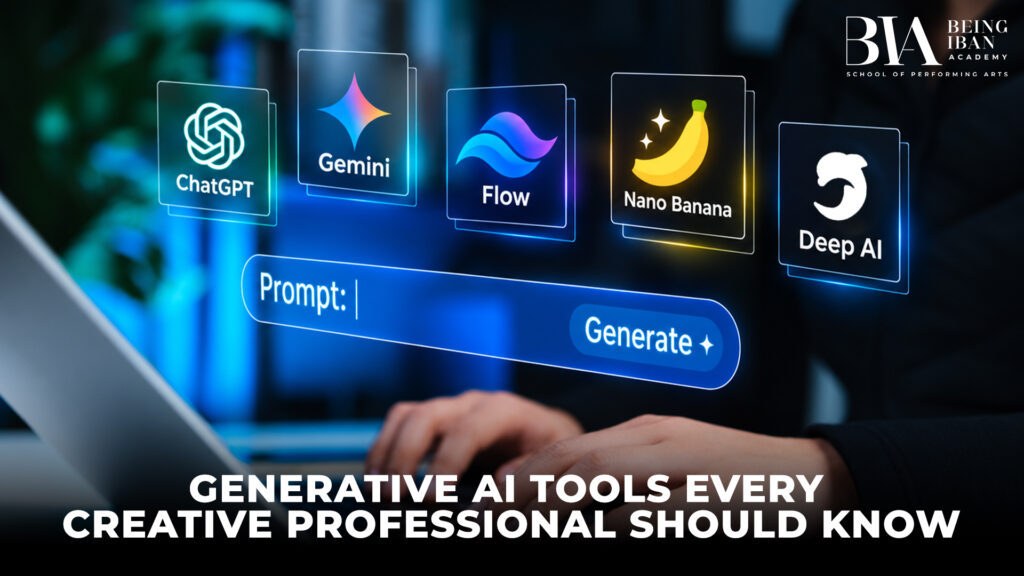
The creative industry is changing rapidly as artificial intelligence introduces new ways to develop ideas, produce content, and improve productivity. Generative AI Tools for Creative Professionals are helping designers, photographers, filmmakers, content creators, and digital marketers streamline their workflows and explore new creative possibilities. From generating images to writing scripts and editing videos, these tools can support different stages of the creative process.
Understanding how to use Generative AI Tools for Creative Professionals can help individuals save time, experiment with fresh ideas, and adapt to changing industry demands. However, AI works best when combined with human imagination, technical knowledge, and creative judgement. Here are seven useful tools that modern creative professionals should know.
1. ChatGPT for Content Creation and Brainstorming
ChatGPT is a versatile AI tool that supports brainstorming, content writing, script development, research, and creative planning. It can help professionals organise their ideas, develop campaign concepts, write video scripts, and prepare outlines for blogs and presentations.
For example, a digital marketer can use ChatGPT to brainstorm social media campaigns, while a filmmaker can develop an initial storyline or explore different dialogue options. Designers can also use it to prepare creative briefs and explain concepts to clients.
Among Generative AI Tools for Creative Professionals, ChatGPT is particularly useful for turning rough ideas into structured plans.
Best uses: Brainstorming, writing, scripting, research, and creative planning.
2. Adobe Firefly for Image Generation and Editing
Adobe Firefly offers generative AI features for creating and editing visual content. Depending on the available tools, users can generate images, modify selected areas, explore visual variations, and make certain editing tasks more efficient.
Photographers may use generative editing features to experiment with backgrounds or remove distracting elements. Graphic designers can explore visual directions for advertisements, posters, and marketing campaigns before developing the final design.
Generative AI Tools for Creative Professionals such as Adobe Firefly can support faster experimentation, but the output still needs careful evaluation. Check lighting, perspective, textures, and image details to ensure that the result meets professional standards.
Best uses: Image generation, background editing, visual experimentation, and creative design.
3. Midjourney for Artistic Concepts and Visual Inspiration
Midjourney is an AI image-generation tool that allows users to explore visual concepts through text prompts and other supported inputs. It can help artists experiment with different styles, colours, compositions, and artistic directions.
For instance, a fashion designer can create visual references for a collection, while an art director can explore concepts for an advertising campaign. Photographers can also use generated references to communicate the mood and visual style they want to achieve during a photoshoot.
Using Generative AI Tools for Creative Professionals like Midjourney can make early-stage brainstorming more visual and engaging. However, generated images may contain inconsistencies and should not automatically be treated as finished commercial work.
Best uses: Mood boards, concept art, artistic exploration, and visual storytelling.
4. Canva Magic Studio for Graphic Design
Canva Magic Studio offers AI-assisted design features within Canva’s visual content creation platform. Depending on the feature and subscription, users can generate design ideas, edit images, create presentations, and develop promotional materials.
Generative AI Tools for Creative Professionals can simplify design workflows, but effective design still requires an understanding of typography, colour theory, visual hierarchy, and brand consistency. Always review the final layout to ensure that the text is readable, the information is accurate, and the design communicates the intended message.
Best uses: Social media content, presentations, posters, marketing graphics, and branded materials.
5. Runway for AI-Powered Video Creation
Runway provides AI-powered video generation and editing capabilities that creators can explore for visual storytelling. Depending on the available features, users can experiment with text-to-video generation, image-to-video workflows, and other video production tools.
Filmmakers and content creators can use Runway to develop preliminary scenes, test creative concepts, and explore visual effects. Marketing teams may also use generated clips when preparing concept presentations or exploring different approaches to a campaign.
Generative AI Tools for Creative Professionals are particularly useful during the early stages of video production, when teams need to test ideas before committing significant resources. However, AI-generated footage can contain movement errors, inconsistent details, or continuity problems. Careful editing and quality checks remain necessary for professional results.
Best uses: Video concepts, visual effects experimentation, preliminary sequences, and creative presentations.
6. Descript for Audio and Video Editing
Descript combines audio and video editing with text-based editing capabilities. It can help creators work with recordings, edit spoken content, prepare transcripts, and organise production workflows.
Generative AI Tools for Creative Professionals can save time on repetitive production work, and Descript is a useful option for creators who regularly work with spoken content. Nevertheless, users should review the final recording to catch transcription errors, unnatural edits, and changes that could affect the original meaning.
Best uses: Podcast production, interviews, educational videos, transcription, and audio editing.
7. Grammarly for Writing and Professional Communication
Grammarly offers AI-assisted writing features that can help users improve grammar, clarity, tone, and readability. Creative professionals can use it to review client emails, refine proposals, edit marketing copy, and prepare professional documents.
Among Generative AI Tools for Creative Professionals, writing assistants are valuable because communication is an important part of almost every creative role. However, users should review suggested changes carefully to preserve their individual voice, maintain accuracy, and ensure that the writing suits the intended audience.
Best uses: Proofreading, editing, client communication, and professional writing.
How to Choose the Right Generative AI Tools for Creative Professionals
Choosing the right tool depends on your creative goals, budget, experience, and existing workflow. Not every AI application is suitable for every project, so it is important to evaluate the features that provide genuine value.
Consider these factors before choosing Generative AI Tools for Creative Professionals:
- Creative requirements: Decide whether you need support with writing, image generation, graphic design, photography, audio, or video production.
- Ease of use: Select tools that match your experience level and allow you to work efficiently.
- Cost and subscriptions: Compare pricing, usage limits, and the features available under each plan.
- Commercial licensing: Review usage rights and restrictions before delivering AI-generated assets to clients.
- Workflow compatibility: Check whether the tool works with your existing software and file formats.
- Output quality: Evaluate the results carefully before using them in professional projects.
- Privacy and security: Check the service’s privacy policies before uploading confidential client information or identifiable images.
A practical approach is to start with one or two tools that address your biggest workflow challenges. Learn their capabilities, understand their limitations, and expand your toolkit only when additional software provides a clear benefit.
Why Creative Professionals Should Develop Generative AI Skills
Learning Generative AI Tools for Creative Professionals involves more than understanding software features. It requires the ability to write effective prompts, assess generated results, refine ideas, and make informed creative decisions.
Responsible Use of Generative AI in Creative Work
Although Generative AI Tools for Creative Professionals offer many opportunities, they also introduce responsibilities. Copyright, consent, privacy, originality, and image authenticity should all be considered when using AI-generated content.
Creative professionals should review the terms of the tools they use and confirm whether the generated material is appropriate for the intended purpose. They should obtain the necessary permissions before using identifiable client images and avoid uploading confidential information to services without checking their privacy practices.
Responsible AI use helps protect professional credibility, maintain client trust, and support the ethical use of emerging creative technologies.
Conclusion
Generative AI Tools for Creative Professionals can support many aspects of modern creative work, including content writing, image generation, graphic design, video production, and audio editing. Tools such as ChatGPT, Adobe Firefly, Midjourney, Canva Magic Studio, Runway, Descript, and Grammarly offer different capabilities for improving productivity and exploring new ideas.
The best results come from selecting tools that match specific needs and combining their capabilities with human creativity, technical expertise, and careful review. By developing practical AI skills and using technology responsibly, creative professionals can build more efficient workflows while maintaining the originality and artistic judgement that make their work valuable.istinctive.